SCIM Provisioning and Deprovisioning
How Does SCIM Provisioning Work in Enpass?
Automate user provisioning and access removal with your identity provider.

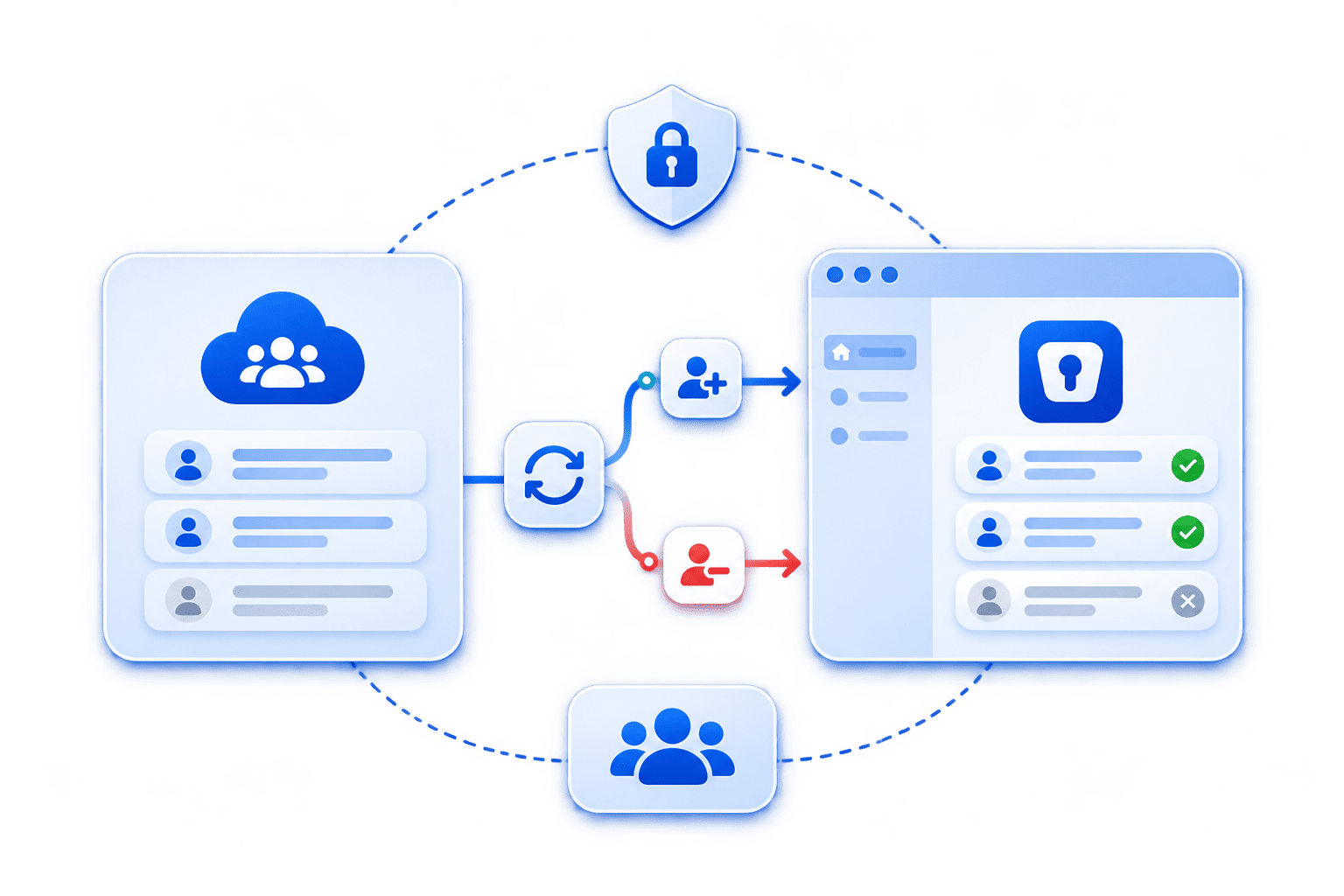
Enpass supports SCIM 2.0 provisioning and deprovisioning with Microsoft Entra ID, Okta, and any other SCIM 2.0-compatible identity provider, so a leaver's access ends when their identity does. Add someone to your identity provider and they're in Enpass. Remove them, and their access to business vaults is removed automatically. This is included in every Business and Enterprise Enpass plan, with no bridge or connector to host.
Joiners, movers, and leavers, handled at the source
| Stage | In your identity provider | In Enpass |
|---|---|---|
| Joiner | You assign the user to Enpass. | They're provisioned automatically and assigned a license. |
| Mover | You change their name, email address, or group membership. | The change updates in Enpass automatically, including name, email, and group membership. |
| Leaver | You unassign or deactivate the user. | Their access to business vaults is removed, and the vaults are deleted from their devices as soon as the change arrives or the next time they open the app. |
How it works with your identity provider
There's no bridge or connector to host. Setup takes two steps, both in tools you already run:
- Generate SCIM credentials in the Enpass Admin Console: Under Settings > User Provisioning, create a Tenant URL and Secret Token.
- Add them to your identity provider: Enter both in your identity provider's Enpass app, then assign the users and groups who need access.
Once it's running:
- Manage people where you already manage them: Joiners, movers, and leavers are handled in your identity provider. In the Enpass Admin Console, SCIM-provisioned users are labeled as such, alongside their license status, devices, and last access.
- Keep an audit trail of every change: Every provisioning and deprovisioning event is recorded in Enpass event logs and, if you've integrated it, streamed to your SIEM.
Setting it up now? Follow the step-by-step guide for your identity provider in the Enpass Help Center or watch the setup videos.

Running Enpass in Microsoft 365 or Google Workspace? See how Enpass works inside Microsoft 365 and Google Workspace.
Supported identity providers
Enpass works with any SCIM 2.0-compatible identity provider that maps each user's email address and display name, including:






Shipped, audited, and in production today
Enpass is the password manager of choice for enterprises in regulated industries with rigorous compliance requirements, including government organizations and Fortune 500 companies. SCIM provisioning is shipped and production-ready, available in every Business and Enterprise plan today.

ISO 27001:2022

SOC 2 Type II Audited

GDPR Compliant
Frequently asked questions
Enpass supports SCIM 2.0 provisioning and deprovisioning with Microsoft Entra ID, Okta, Google Workspace, OneLogin, JumpCloud, and Ping Identity. Any other SCIM 2.0-compatible identity provider also works, as long as it maps each user's email address and display name. Setup happens in the Enpass Admin Console and your identity provider, with nothing extra to host.
When your identity provider deactivates or unassigns a user, their access to business vaults is revoked and the vaults are deleted from their devices. Your organization’s data isn’t affected: it stays in your own Microsoft 365, Google Workspace, or other trusted environment, under your control.
No. SCIM provisioning is included in every Enpass Business and Enterprise plan at no extra cost. There's no separate SCIM bridge or connector to buy, deploy, or maintain on your own infrastructure. Admins generate a Tenant URL and Secret Token in the Enpass Admin Console and add them to the identity provider's Enpass app.
SSO controls how people sign in to Enpass, using the identity provider credentials and policies your organization already enforces. SCIM controls who has an Enpass account in the first place, creating, updating, and removing users as your identity provider changes. The two work together, and both are included in every Business and Enterprise plan.
No. Administrator accounts can't be removed through SCIM-based deprovisioning. To offboard an admin, first remove their admin role in the Enpass Admin Console. After that, unassigning or deactivating them in your identity provider removes their access to business vaults in the same way as for any other user.
Yes. Enpass SCIM provisioning keeps group memberships in step with your identity provider as well as individual users. Policies can be assigned by group as well, moving someone between teams in your identity provider updates what they can reach in Enpass, without a manual update. Name and email changes carry over automatically too.
Talk to us about your business requirements
Start a free trial, connect Entra ID, Okta, or another SCIM 2.0 identity provider, and offboard a test account to see it happen in Enpass. Evaluating for a wider rollout? Talk to us.