Passkeys for Business
We Don't Just Support Passkeys. We Keep Them Yours.
Passkeys only boost security if they can’t be hacked. Enpass is the only password manager that gives you 100% data sovereignty for passkeys – without requiring self-hosting.


Passkeys deserve the same sovereignty as passwords
A passkey is only as secure as where it’s stored. Most password managers treat passkeys as a login convenience and keep them on their own servers. Enpass goes beyond zero knowledge with zero possession: your passkeys live inside your own Microsoft 365, Google Workspace, or other trusted environment, never on ours. Even if Enpass’s servers were compromised (they never have been), there’d be nothing to breach.
Ahead of the standard, not scrambling to catch up
Enpass has already implemented the essential WebAuthn Level 3 capabilities, ahead of the formal W3C recommendation, making us one of the first password managers to do so. WebAuthn Level 3 is the newest version of the passkey standard, maintained by W3C in collaboration with the FIDO Alliance. This means your users immediately benefit from advanced passkey capabilities.
- Protects encrypted data, not just sign-ins: The PRF extension lets a passkey help protect encrypted data as well as authenticate a login.
- One passkey across related domains: Related Origin Requests let a single passkey work across your organization's related websites, which is useful for companies running more than one domain.
- Fits into existing sign-in flows: Passkey creation and use can happen as part of a normal login, rather than requiring a dedicated onboarding moment for every employee.
- Offers the right sign-in experience: Public Key Credential Hints let a website communicate its authentication requirements up front, so Enpass offers the optimal sign-in option.
- Stays accurate automatically: Saved passkeys update automatically when account details change, with no manual clean-up needed on your end.
Admins get visibility and control
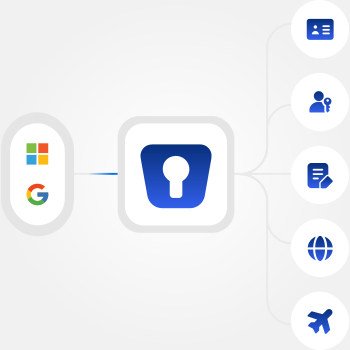
Know where to go passwordless next. The Enpass Admin Console shows how many passkey-supported items still lack a passkey, right alongside your policy enforcement, security audit dashboard, and event logs.
- Security audit dashboard: Flags accounts that support passkeys but don’t have one yet, visible organization-wide at a glance.
- Sharing management: Let teams share credentials, including passkeys, without every member needing their own separate access to the underlying account, and without sharing master passwords. Access is granted through defined roles (Manager, Write, Read Only, or Autofill Only), so admins have control over who can share and what level of access each person gets.
- Integrated compliance management: Passkeys are covered by the same controls and logs as the rest of your organization's Enpass credentials.

Frequently asked questions
No. Enpass already supports the essential WebAuthn Level 3 capabilities. Each website decides when it adopts the standard and requests them from your password manager. Once a site adopts it, Enpass is ready. There's no setup required on your end. Read more about WebAuthn Level 3 here.
Both. Passkey creation and storage, along with the sharing, Admin Console capabilities, and event and audit logging are available on both Business and Enterprise plans.
No. Passkeys are an additional, phishing-resistant way to sign into individual sites and apps. Your Enpass master password still protects the vault itself, while SSO governs access to the Enpass Admin Console. They work at different layers, so passkeys add protection without changing how you unlock your vault
Yes. Every passkey lives inside your organization's own Microsoft 365, Google Workspace, or other trusted environment, under the same zero possession architecture as passwords. Enpass never receives, stores, or touches a passkey itself, so there's nothing on our servers for an attacker to target. You own all passkey data legally, architecturally, and operationally.
Insight for IT and security leaders
Help doc: Using passkeys and authentication codes

Get passkeys without the vendor risk