
Password Management Your Way
All password managers do the same thing, but Enpass is different in one big way - Data Sovereignty.
Enpass is Different
Most password managers offer the same core features, including password generation, autofill, passkeys, and end-to-end encryption. Enpass delivers all of this while remaining a privacy-first, zero-knowledge password manager built on true data sovereignty. This means your encrypted data stays under your control, never on Enpass servers, so only you can access it.
Your password management, your data, your way.
Data Sovereignty
Enpass provides user-controlled data storage: your sensitive data is stored where you choose, and in your jurisdiction.
Independently Audited
Enpass ensures that security experts regularly review our technology, and we stay ahead of the hackers.
Full Security
Enpass lets you access your passwords even without an internet connection, so you stay in control, online or offline.
No Mass Breach Risk
Enpass has no central vault, so there’s nothing for attackers to target at scale.
Beyond Zero Knowledge
Enpass has robust zero-knowledge encryption; we don’t see your data or store it.
Enpass for Everyone

Business
Ideal for businesses that want full data control.
- Integrated storage: Password vaults are stored in the users’ existing Microsoft 365 or Google Workspace.
- Unified management: Easily manage users and groups, define password policies, all from one place.
- Secure collaboration: Share credentials with colleagues safely with access level controls.
- Quick recovery: Recover access for employees when they forget their master passwords.

Personal
Ideal for users who want privacy and security.
- Complete coverage: No restrictions on the number of credentials you can store.
- Effortless security: Automatically generate and save strong and unique passwords.
- Instant access: Autofill logins, payments, and forms effortlessly.
- Seamless protection: Access and authenticate with biometrics and passkeys.
Testimonials: Total Trust, Globally

Rated 4.6 star on G2, 4.7 star on Capterra and 4.3 star on GetApp

Recently mentioned by top media publications
Enpass let our global team securely share local account access with marketing teams worldwide, ensuring continuity despite staff changes, absences, or time zone differences within the team.
Director of IT Security
Global Consulting Firm
Enpass makes it easy for our team to manage passwords without storing anything on Enpass cloud. It gives us more control and keeps our company data safe and private in our Microsoft 365 environment.
Marketing Head
Leading Healthcare Firm
To meet strict client requirements, we needed full control over credential storage. Enpass delivered, keeping everything within our Microsoft 365 setup, not on Enpass servers.
Director of IT
European Car Manufacturer
Your Plan, Your Way
for first 12 months
billed yearly
billed yearly
- Apps for Windows, MacOS, Linux, Apple and Android
- Passkey support
- Unlimited passwords and items
- Unlimited vaults
- Unlimited devices
- Security alerts for website breaches
- Identification of accounts with 2FA support
- Email and Forum support
for first 12 months
billed yearly
billed yearly
- Apps for Windows, MacOS, Linux, Apple and Android
- Passkey support
- Add up to 6 members
- Unlimited passwords and items
- Unlimited vaults
- Unlimited devices
- Security alerts for website breaches
- Identification of accounts with 2FA support
- Email and Forum support
One-time payment.
Pay for 2 years, get 1 year access free!
- Apps for Windows, MacOS, Linux, Apple and Android
- Passkey support
- All features access for 3 years
- Unlimited passwords and items
- Unlimited vaults
- Unlimited devices
- Security alerts for website breaches
- Identification of accounts with 2FA support
- Email and Forum support
One-time payment
- Personal lifetime license
- Passkey support
- Apps for Windows, MacOS, Linux, Apple and Android
- Unlimited passwords and items
- Unlimited vaults
- Unlimited devices
- Security alerts for website breaches
- Identification of accounts with 2FA support
- Email and Forum support
billed yearly
$59.88 $17.96 for first 12 months
Applicable taxes will be applied at checkout
- Data Location – Microsoft 365/Google Workspace
- Administrative controls
- Policy enforcement
- Security audit dashboard
- Event and audit logs
- Password and file sharing
- Access recovery
- 24/7/365 technical support
- Automatic user provisioning via SCIM
- Automatic data deletion on user offboarding
- Single Sign-on (SSO)
- UEM/MDM configurations for deployment
- SIEM integration
- Unlimited passwords, passkeys and files storage
- Unlimited vaults for business, personal and sharing data
Please contact sales to access additional benefits:
- Account manager (a real human to support you)
- Solution design
- Proof of Concept (PoC)
- Volume, multi-year and site based pricing
- Custom commercial agreements (to suit your requirements)
- Personalized training and onboarding
- Complimentary Enpass family plan for employees
ISO 27001:2022
SOC 2 Type II Audited
GDPR Compliant
Resources
-
 Stronger Passwords, Smarter Privacy: A Data Privacy Day Reflection from Enpass12 Feb 2026 General
 -
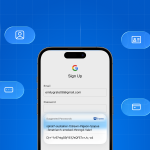 iOS 26.2 Levels Up Password Management, Enpass is Here to Lead the Way16 Jan 2026 Enpass-iOS
 -
 Give the Gift of Digital Security: Why a Password Manager Makes the Best Gift for 202624 Dec 2025 General
 -
 Enpass on iOS 26: A lighter, more modern experience08 Dec 2025 Enpass-iOS
 -
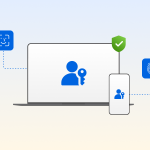 Passkeys and the Future of Private, Passwordless Logins21 Nov 2025 Security
 -
 Enpass Adds Support for Importing Data from Dropbox Passwords, Microsoft Authenticator, and ESET Password Manager01 Oct 2025 Announcement
Frequently asked questions
Enpass has never been breached or hacked. Enpass doesn’t store any of your vault data on its own servers; there’s nothing for attackers to steal from us. You're protected by design.
Most password managers store your data on their own centralized cloud, making them attractive targets for hackers. Enpass takes a fundamentally different approach; we never store your data. With Enpass, your vault stays entirely within your control, stored in your own trusted environment. This gives you true data sovereignty. You choose where your data lives, aligned with your internal policies and local data privacy regulations. Individuals can use their preferred personal cloud services, such as iCloud, Google Drive, OneDrive, Dropbox, Box, or Nextcloud. Businesses can use their existing cloud environments, like Microsoft 365 or Google Workspace.
Yes. Enpass works completely offline. You can access your passwords anytime, even without internet connectivity.
Your data is never stored on Enpass servers; we cannot see or access your passwords. Second, your data is encrypted with your Master Password, which only you know, so Enpass can’t access or decrypt it. Enpass is built on a Zero-knowledge architecture, and it goes one step further by ensuring your data never touches our infrastructure at all.
Yes! Enpass makes it easy to import passwords from other password managers, CSV files, and browsers. You can switch without starting over. Read more.
Absolutely. You can try Enpass for free. You don't need a credit card. Upgrade anytime if you need more.
Rated 4.3 star on App Store and 4.1 star on Play App